


3 examples · Text file
Everyday work examples
Copy instructions for drafting a report, an invoice reminder or meeting actions. See what to provide and what to check.
Open the examplesAdaptive business intelligence
Omni reads the files and exports you already have, shows where each number came from, and drafts a next step for your team to check.
 OMNI
12 cases are missing from the count.
Keep the systems you use. Start with one task.
How Omni works
Add your files
Start with spreadsheets or documents from the systems you use.
One product has no category in the stock file.
Confirm its category before reviewing sales by category.
See what needs checking
Omni points out a gap and shows where it found it.
You decide what to do.
Approve, change
or decline.
Choose what to do
Someone on your team checks the suggestion before anything changes.
Start with spreadsheets or documents from the systems you use.
Omni points out a gap and shows where it found it.
Someone on your team checks the suggestion before anything changes.
Your team reviews the suggestion before anything is sent or changed. You can see which files Omni used.
Explore the demos
Explore sample screens for distribution, automotive, retail, sales and healthcare. The figures are examples, not customer results.
Distribution operations
See sales by territory, slow-moving stock and items to check.
Open demo — Distribution sales and stock, opens in a new tab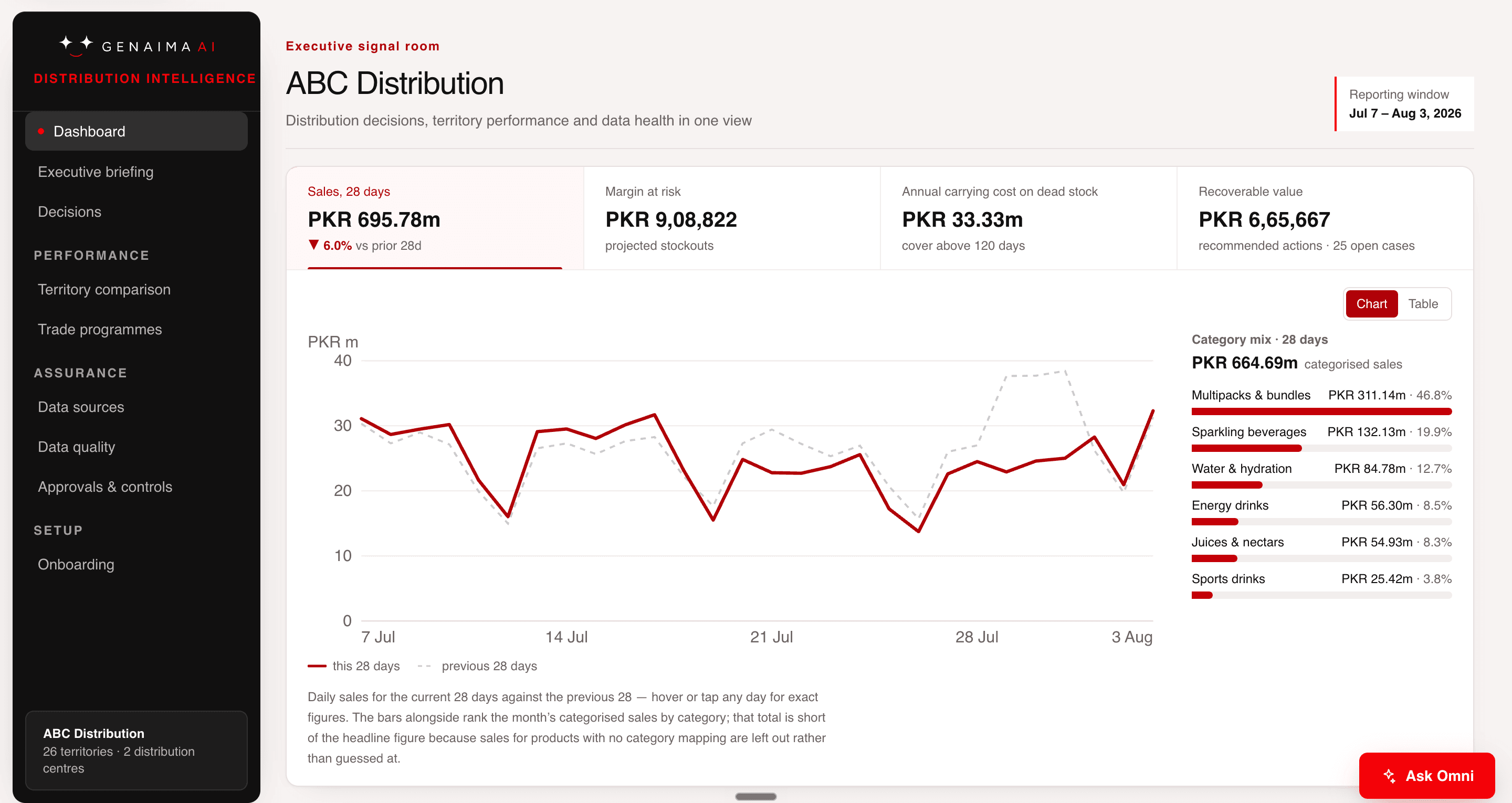
Margin at riskPKR 908,822
A closer look at Omni
Omni checks the records you provide, points out what needs attention and drafts a next step. Your team reviews it.




You can start with files from the tools you already use. We discuss direct connections separately.
Start with the spreadsheets and documents you already use.
See which records support a number and where something is missing.
Get a short summary of what needs attention.
Someone on your team decides what to do and records the result.
A short summary shows the number, where it came from and what needs a decision.













Client work
Selected work in operations, healthcare and startup support.

Industrial operations
Brought scattered business information together and designed ways for teams to use it when reviewing work and deciding what to do next.
Read the project note
Healthcare operations
Built and launched a tool supporting patient assessment and healthcare administration. People remained responsible for sensitive decisions.
Read the project note
Startup support
Helped startup teams across a national network find practical uses for AI, with guidance and hands-on support.
Read the project noteMember of five startup and partner programmes
Resources
3 examples · Text file
Copy instructions for drafting a report, an invoice reminder or meeting actions. See what to provide and what to check.
Open the examplesGuide · Text file
Find one task worth improving and agree what to try with the person who does the work.
Read the guideWorksheet · CSV
Compare time, corrections and cost before and after the first task.
Open the worksheetWorking with us
Show us a task that takes too long and the records your team uses. We agree what to deliver, how you will judge it and the price before work starts.
How pricing worksPick one task and agree what a useful result looks like.
Check the result with the people who do the work.
Keep it, change it or stop based on what you learned.
Talk to us
Tell us what is happening now. A person on our team reads your message before replying.